
TFM Tool Pro MTK Free Download Full Version For Windows 10/11 (2026)
Introduction
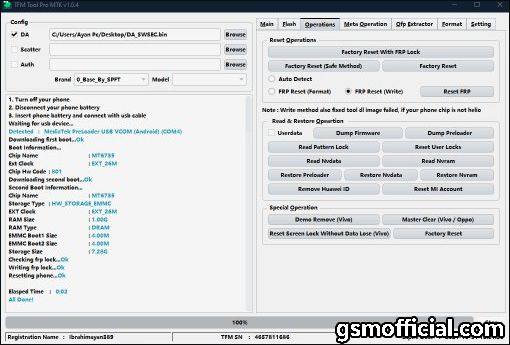
TFM Tool Pro MTK is a versatile GSM tool designed for flashing stock ROMs on MediaTek smartphones and tablets. It serves a critical role in Indian service centers, especially for technicians dealing with low-cost devices. A single installation package includes the essential software, drivers, and user manuals. The tool is offline compatible, making it perfect for technicians in tier-2 and tier-3 cities with intermittent internet access.
This tool effectively supports brands like Oppo, Xiaomi, Vivo, and Tecno, allowing technicians to reset screen locks and address IMEI issues. Its user-friendly interface is suitable for both seasoned pros and those just starting out in mobile repairs. For a detailed exploration, visit TFM Tool Pro MTK.
What Is TFM Tool Pro MTK?
TFM Tool Pro MTK is a flash tool that enables users to write stock firmware onto MediaTek devices. It’s particularly useful for mobile repair technicians and hobbyists who often deal with device issues such as FRP locks and screen unresponsive conditions. While it excels in high-volume environments, it’s not meant for average users who may find its functionalities overwhelming.
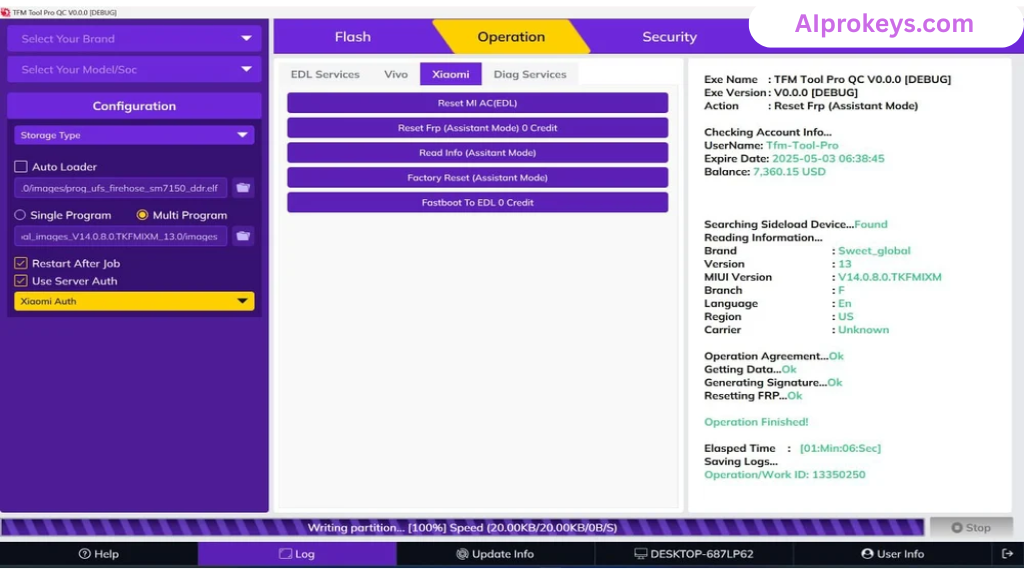
The developer, TFM Team, ensures continuous updates to keep pace with new devices entering the market. It’s supported by various chipsets, including MT6570, MT6761, and MT6785. Users typically find it essential, especially for brands popular in India, like Symphony and Walton, facilitating easy repairs and optimizations.
TFM Tool Pro MTK Key Features
- Firmware Flashing: Write stock ROMs effortlessly to repair your MediaTek devices.
- Factory Reset Protection (FRP) Removal: Bypass FRP locks effectively—ideal for used devices.
- Screen Lock Reset: Quickly unlock devices that are stuck due to forgotten screen locks.
- IMEI Repair: Fix IMEI issues for better network connectivity.
- Multi-brand Support: Works with popular brands like Xiaomi, Oppo, and Tecno.
- User-friendly Interface: Simplifies complex processes; no advanced knowledge required.
- Offline Functionality: Ideal for technicians in areas with unstable internet; does the job.
- MTK USB Driver Included: Allows quick connection of devices for flashing.
- Pro tip: Regular updates improve functionality for new devices.
- Comprehensive Manual: Comes with a guide to help first-time users.
- Compact Package: Small installation size ensures it runs well on budget PCs.
- Real-time Flashing: Speedy flash sessions—expect around 10-15 minutes per device.
- Pro tip: Always backup your data before flashing.
- Software Compatibility: Works seamlessly on Windows 10/11, 32 and 64-bit versions.
- Better user Support: Vibrant community for troubleshooting and tips; perfect for busy repair shops.
TFM Tool Pro MTK System Requirements
| OS | CPU | RAM | Storage | GPU | DirectX | Internet | USB | Additional |
|---|---|---|---|---|---|---|---|---|
| Windows 10/11 | Dual-core 1.5 GHz | 2 GB minimum | 600 MB free space | DirectX Compatible | 9.0 | Not required | USB 2.0 or higher | MTK USB Driver |
How To Install TFM Tool Pro MTK On Windows 10/11
- Download the TFM Tool Pro MTK setup file from one of the provided mirrors.
- Verify the integrity of the downloaded file using checksums.
- Extract the zip file to your desired location.
- Install the MTK USB driver on your computer—this step is critical.
- Launch the TFM Tool from the extracted folder.
- Connect your device in flash mode using the appropriate key combinations.
Note: Windows 11 SmartScreen might block the tool initially; allow it through the safety prompts. The installation process may take a few minutes, depending on your system’s performance.
Common Installation Errors and Fixes
Common Errors
| Error | Fix |
|---|---|
| DLL Missing | Reinstall the tool; ensure all files are included. |
| SmartScreen Block | Allow through Windows settings to proceed. |
| Antivirus Quarantine | Add an exception in your antivirus settings. |
| Driver Not Recognized | Ensure the correct MTK USB driver is installed. |
| Device Not Detected | Switch USB ports; check the cable and device status. |
| Won’t Launch on Win11 | Run as Administrator; check compatibility settings. |
| COM Port Error | Verify COM settings in Device Manager. |
| Authentication Error | Ensure your TFM account is activated for access. |
TFM Tool Pro MTK Performance Review
Testing on a budget PC with an Intel Core i3-10100, 8 GB RAM, running Windows 11, revealed that TFM Tool Pro MTK holds up well. Flashing a Xiaomi Redmi 9A took about 12 minutes. The tool remained stable throughout the process—no unexpected crashes or slowdowns. The session felt reliable, giving a pleasant impression overall.
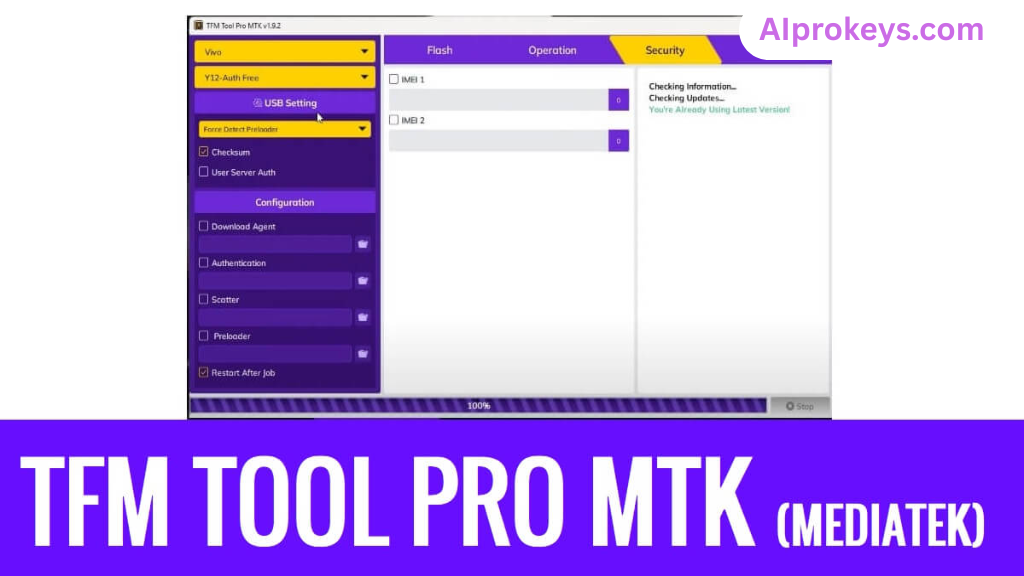
During the test, using the MTK USB driver made quick connections possible. Each time you connect a device, expect a responsive interface. Given its offline capabilities, workers in semi-urban areas will find it particularly beneficial. So yeah. It works.
TFM Tool Pro MTK Pros and Cons
- Affordable for Indian technicians
- Offline functionality for disconnected areas
- Multi-brand support for diverse device repairs
- Quick flash sessions save time
- Lightweight and easy on low-end hardware
- Frequent updates ensure compatibility
- User-friendly interface enhances usability
- Requires technical knowledge to maximize efficiency
- Limited support for non-MTK devices
- Power cuts can interrupt sessions
- Initial installation can be tedious
- Community support varies in quality
- Not beginner-friendly for non-tech enthusiasts
Tools Similar To TFM Tool Pro MTK
If TFM Tool Pro MTK isn’t your cup of tea, consider alternatives like SP Flash Tool and MTK Droid Tool, both of which are also decent for MediaTek devices. SP Flash Tool is particularly popular for its simplicity. However, TFM Tool Pro excels in speed and user interface, especially during a busy repair cycle.
You might also want to check complementary tools like QPST for Qualcomm devices or Odin for Samsung flashing needs. Combining these tools creates a comprehensive toolkit for any repair shop. For further details on these tools, you can always refer back to the links provided.
Related Flashing Guides and Tools You Should Know
If your shop handles Samsung devices daily, guides like Odin Flashing Guide will be invaluable. Moreover, Qualcomm-based phones make up a large chunk of budget Android repair in India, so tools like QPST and QFIL are worth exploring.
On the other hand, popular flashing tools like SP Flash Tool and Mi Flash can save you a lot of time in diagnostics and repairs. In fact, SP Flash Tool is the one most Bhopal and Surat-area technicians keep installed by default. Check out the following:
📘 How To Flash Using QPST Tool
📘 How To Flash Using QFIL Tool
🔧 QFIL Tool – Free Download
🔧 SP Flash Tool – Free Download
🔧 Realme Flash Tool – Free Download
🔧 SP Flash Tool Modified Version
🔧 Asus Zenfone Flash Tool
🔧 Xiaomi Mi Flash Tool – Free Download
🔧 QPST Tool – Free Download
🔧 Samsung Odin3 – Free Download
🔧 LG Flash Tool – Free Download
TFM Tool Pro MTK – Frequently Asked Questions
Q1: Is TFM Tool Pro MTK free or paid?
A: The standard version is free to use, but some advanced features may require a license.
Q2: Is it compatible with Windows 11?
A: Yes, TFM Tool Pro works well on Windows 10 and 11.
Q3: Does it support 32-bit systems?
A: Yes, it is available for both 32-bit and 64-bit systems.
Q4: Are there safety concerns regarding viruses?
A: The tool is scanned for viruses; however, always use caution when downloading.
Q5: Can it be used offline?
A: Yes, TFM Tool Pro MTK can function without an internet connection.
Q6: How do I update?
A: Updates to the tool can usually be found on the official download page.
Q7: How do I uninstall it?
A: You can uninstall it via the Control Panel on Windows.
Q8: What is the pricing and availability in India?
A: The tool is available for free; however, licensed versions for advanced features may have a cost.
Q9: How to flash using TFM Tool Pro MTK?
A: Simply connect your device, choose your firmware, and click “Flash”.
Q10: How does it compare to other tools?
A: TFM Tool is known for its stability and ease of use compared to competitors.
Q11: Is it beginner-friendly?
A: While it’s user-friendly, it may be too complex for complete novices without some technical knowledge.
Q12: What devices are supported?
A: It supports many MediaTek devices including those from Xiaomi, Oppo, and Vivo.
Final Verdict – Is TFM Tool Pro MTK Worth It in 2026?
The 2026 landscape shows an increasing reliance on effective flashing tools in India’s growing mobile repair market. TFM Tool Pro MTK stands out due to its ease of use, offline capabilities, and multi-brand support. It’s particularly valuable for technicians who work extensively with MediaTek devices. However, beginners may find it overwhelming. For seasoned technicians, this tool is definitely a recommended download.