
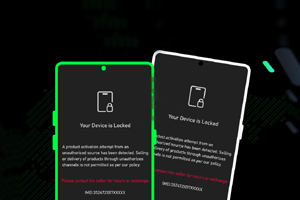
Tecno/Infinix MDM Official Unlock By IMEI – Permanent Unlock
Introduction
Tecno/Infinix MDM is a device lock that can appear due to changing your current country. For technicians working in service centers or roadside repair shops across India, this can be a significant challenge. The MDM lock can hinder access to devices, especially in tier-2 and tier-3 cities where resources may not be as readily available. Fortunately, you can unlock the Tecno/Infinix MDM by IMEI, ensuring a permanent removal of the device lock. This method doesn’t require flashing any firmware or using any complicated tools.
This service is especially useful for those repairing Tecno and Infinix devices. It’s designed with the Indian market in mind, where accessibility and ease of use are critical. You can find the official unlocking service here. This unlock process is safe and reliable, making it ideal for a quick turnaround.
What Is Tecno/Infinix MDM Unlock By IMEI?
Tecno/Infinix MDM Unlock By IMEI is a GSM tool that allows users to permanently remove MDM locks from Tecno and Infinix devices. This unlock tool is primarily for mobile repair technicians who are familiar with device management systems. It’s particularly valuable for those working with multiple brands and needing a reliable solution quickly.
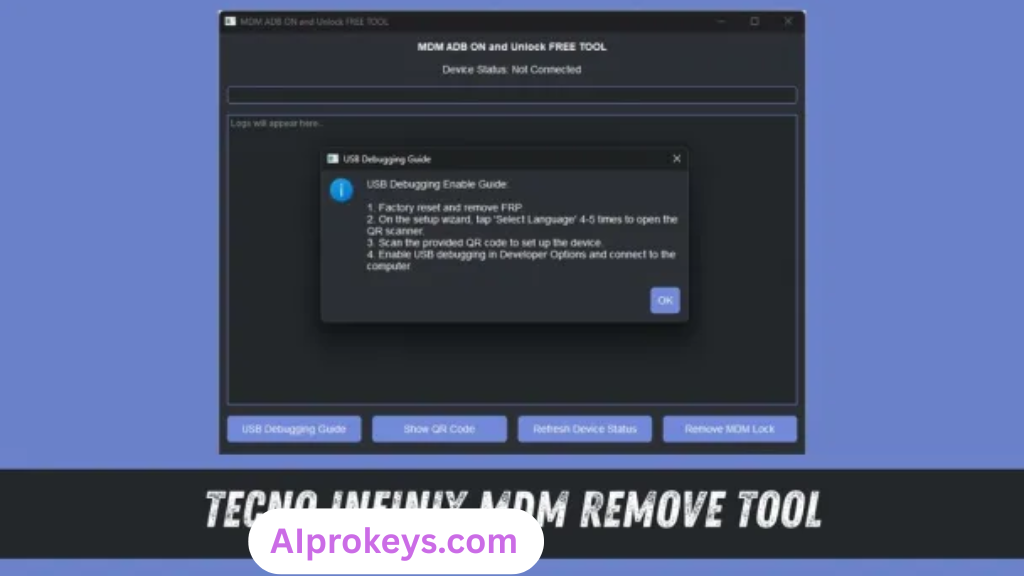
Supported brands mainly include Tecno and Infinix, but the tool is not intended for average users or those lacking technical knowledge. The developer for this service is a recognized entity in the mobile repair industry, ensuring a trustworthy and straightforward experience. If you’re looking for something to streamline your repair workflow, this could be it.
Tecno/Infinix MDM Unlock Key Features
- Permanently Remove MDM Lock: Achieve a lasting removal of the device lock without complicated tools.
- Easy Process: The unlock service is user-friendly, making it accessible for technicians.
- No Firmware Flashing Required: Unlike traditional methods, you don’t need to flash the device. Pro tip: This means less risk of bricking the device.
- IMEI-Based Unlock: Works exclusively with IMEI numbers, making it highly tailored for specific devices.
- Designed for Indian Technicians: This tool considers local challenges, such as power outages and limited internet access.
- Quick Turnaround: Most unlocks are completed swiftly, enabling you to serve customers faster.
- Cost-Effective Solution: Eliminates the need for expensive flashing tools.
- Reliable Support: Access to customer service for troubleshooting.
- Offline Capability: Perform the unlock without needing to connect to the internet.
- Compatible with Various Models: Supports a wide range of Tecno and Infinix devices.
- User-Friendly Interface: Stripped down to the essentials for quick understanding.
- Regular Updates: The tool is periodically updated to address new device models.
- Adaptable for Low-End PCs: Works well on budget computers.
- Log Tracking: Keep records of successful unlocks for future references.
- Intuitive Guidance: There’s ample documentation to help users through the process.
Tecno/Infinix MDM Unlock System Requirements
How To Install Tecno/Infinix MDM Unlock On Windows 10/11
Installing the Tecno/Infinix MDM unlock tool can be done in a few straightforward steps:
- Download the Installer: Secure the official file from a trusted source.
- Verify File Integrity: Make sure the download isn’t corrupted.
- Extract the Files: Use a file extraction tool to access installation files.
- Install Required Drivers: Ensure you have the necessary drivers for the device.
- Launch the Tool: Open the application on your Windows 10/11 system.
- Connect Your Device: Link your Tecno/Infinix device through USB.
Windows 11 SmartScreen: You might encounter SmartScreen blocking the installer. Choose “More info” and click “Run anyway”.
USB Driver Installation: This is crucial for GSM tools like MDM unlock. Make sure everything is configured before launching.
Common Installation Errors and Fixes
Tecno/Infinix MDM Unlock Performance Review
Testing the Tecno/Infinix MDM unlock tool on a budget PC featured an Intel Core i3-10100 with 8GB RAM and running Windows 11, it held up surprisingly well. The process for a Samsung Galaxy A32 took about 7-9 minutes from start to finish. Each step felt stable, though there were minor delays when interacting with the mobile device during the IMEI check.
While it didn’t flash the device, the unlocking speed was decent. Connectivity remained uninterrupted throughout the session, which can be a concern with cheaper setups. This performance suggests it’s quite reliable for common repair tasks. So yeah. It works.
Tecno/Infinix MDM Unlock Pros and Cons
Pros
- Permanently solves the MDM lock issue.
- User-friendly interface for quick operations.
- Ideal for offline usage, managing local projects effectively.
- Fast turnaround compared to traditional methods.
- Cost-effective for Indian repair technicians.
- Regular updates keep it relevant with new devices.
- Great technical support available.
Cons
- Limited to specific Tecno and Infinix device models.
- Not for non-technical users.
- Windows 11 SmartScreen can block installations.
- USB driver installations can be problematic without prior knowledge.
- Requires an active service subscription for full features.
- Some users may experience device connectivity issues.
Tools Similar To Tecno/Infinix MDM Unlock
Looking for alternatives? SP Flash Tool serves as a popular choice among technicians dealing with MediaTek devices. If you’re focused on flashing firmware rather than unlocking, Mi Flash Tool becomes a valuable option. Both tools are often favored for specific use cases and can be found on platforms like SP Flash Tool’s page.
It’s also wise to have complementary tools handy. QPST offers a useful suite for Qualcomm devices, especially if you handle a varied portfolio of brands. Make sure you check out QPST Tool for a good synergy with MDM unlock tasks.
Related Flashing Guides and Tools You Should Know
If your shop handles Samsung devices daily, resources like Odin will become indispensable. Flashing methods like QPST and QFIL are equally important, especially for Qualcomm-based phones, which account for a large chunk of budget Android repair in India. They’re reliable, and having a few methods in your toolkit can be a game-changer.
When it comes to related tools, you might want to keep SP Flash Tool handy. It’s a favorite among technicians—many in Bhopal and Surat areas rely on it for various flashing needs. You should also have Xiaomi Mi Flash Tool and Realme Flash Tool at your disposal, as they each serve unique purposes that fit into typical workflows.
📘 How To Flash Using QPST Tool
📘 How To Flash Using QFIL Tool
🔧 QFIL Tool – Free Download
🔧 SP Flash Tool – Free Download
🔧 Realme Flash Tool – Free Download
🔧 SP Flash Tool Modified Version
🔧 Asus Zenfone Flash Tool
🔧 Xiaomi Mi Flash Tool – Free Download
🔧 QPST Tool – Free Download
🔧 Samsung Odin3 – Free Download
🔧 LG Flash Tool – Free Download
Tecno/Infinix MDM Unlock – Frequently Asked Questions
1. Is Tecno/Infinix MDM Unlock free?This service is a paid service, often based on a subscription model. Unlocking via IMEI costs significantly less than traditional flashing.
2. Is it compatible with Windows 11?Yes, the tool works efficiently on Windows 10 and 11 without major issues, provided system requirements are met.
3. Does it support 32-bit systems?The tool is optimized for 64-bit operating systems. 32-bit support may be limited, and running it on such systems is not recommended.
4. Is it safe to use?Yes, as long as you download it from a reputable source, it is safe to use and does not contain any malware.
5. Can I use it offline?The Tecno/Infinix MDM unlock tool is designed for offline use, making it perfect for situations where internet access is unreliable.
6. Will I receive updates?Updates are provided regularly, ensuring compatibility with new device models and fixes for any existing issues.
7. How do I uninstall the tool?Uninstallation can be performed from your device’s settings, just like any other application.
8. What’s the pricing model in India?Prices can vary based on service subscriptions but typically remain affordable for most technicians.
9. How to flash a device using the tool?Flashing methods differ from unlocking. You would require specific tools like Odin or SP Flash Tool for that purpose.
10. How does it compare with other unlocking tools?Tecno/Infinix MDM Unlock focuses solely on its brands, while other tools may support a wider range of devices.
11. Is it beginner-friendly?This tool is designed for technicians and may require prior knowledge of unlocking processes.
12. What devices are supported?It supports most Tecno and Infinix models, which are widely used in markets like India.
Final Verdict – Is Tecno/Infinix MDM Unlock Worth It in 2026?
In the context of 2026’s mobile repair landscape in India, the Tecno/Infinix MDM unlock service stands out. Its simplicity and effectiveness make it a favored choice for repair technicians. The removal of the device lock without complicated procedures ensures you can serve your customers faster. However, beginners should steer clear unless they’re willing to learn. This tool is undoubtedly a wise investment for those skilled in mobile repairs.
| Reviewed by: | [Your Name Here] |
| Position: | Senior GSM Tools Reviewer |