
V-Emmc Tool Free Download Full Version For Windows 10/11 (2026)
Introduction
V-Emmc Tool is an offline installer for Windows 10/11 that caters to mobile repair technicians in India, especially those running service centers or roadside repair shops. This tool is a handy solution for issues related to eMMC and UFS devices. Whether you’re in a tier-2 or tier-3 city, having a reliable tool at your disposal is crucial for efficient service.
This latest version of the tool provides a zip package that includes the main software, required drivers, and a tutorial. Technicians can easily navigate the interface, which simplifies complex tasks like FRP unlocking and dead boot repairs. For more detailed insights, check out our dedicated page on V-Emmc Tool.
What Is V-Emmc Tool?
V-Emmc Tool is a specialized GSM tool designed to facilitate writing dump files to eMMC and UFS devices. It’s perfect for technicians and hobbyists dealing with mobile repairs. The tool supports a wide array of devices, particularly MediaTek and Qualcomm chipsets. However, this isn’t for the average user—you need some technical know-how to make the most of its features. Developed by the V-Emmc Team, it’s aimed primarily at those familiar with mobile flashing and repair.
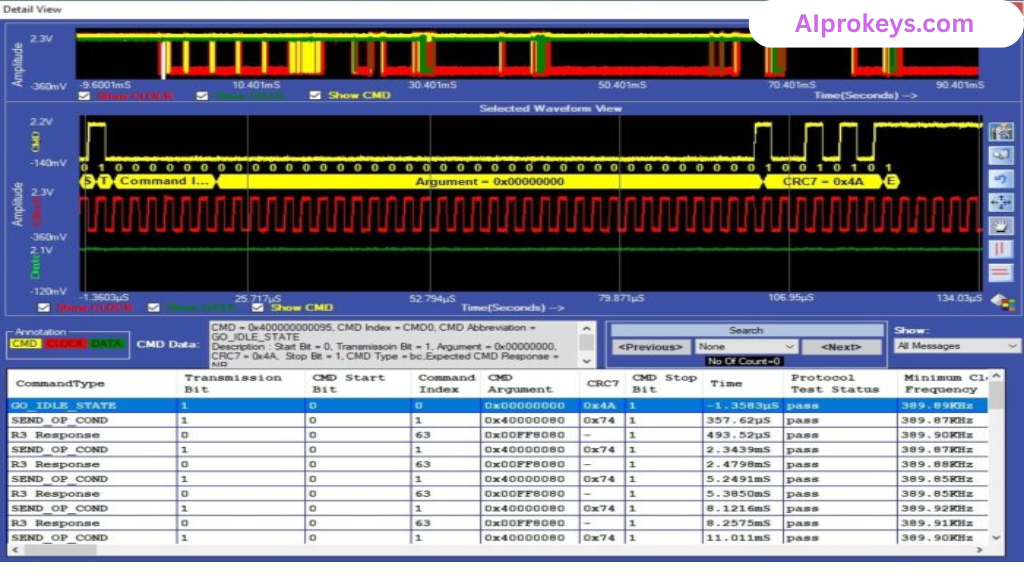
While rookie technicians might feel overwhelmed, seasoned pros will appreciate the efficiency it brings. If you work in a shop that handles various brands, having this tool can really streamline the service process.
V-Emmc Tool Key Features
- Write Dump Files: This feature allows you to restore the device’s eMMC memory by writing dump files directly.
- Reset User Locks: Easily remove any screen locks and factory reset protections.
- FRP Bypass: Bypass Google account verifications with a few clicks.
- ISP Support: Works with ISP adapters for direct eMMC access.
- Driver Installation: Ensures you can quickly set up necessary MediaTek and Qualcomm drivers.
- Offline Usage: Completely functional without an internet connection, ideal for local repair shops.
- Multi-Device Compatibility: Supports various brands, giving you flexibility in repairs.
- User-Friendly Interface: Designed for technicians, the layout makes navigation intuitive.
- Pro Tip: Always back up your data before performing operations—it’s crucial.
- Pro Tip: Check power connections; sudden cuts can disrupt operations.
- Pro Tip: Using a good quality ISP adapter ensures reliable connectivity.
- Bulk Operations: Suitable for handling multiple devices at once, saving time.
- Logs and Reports: Keeps records of operations performed for future reference.
- Frequent Updates: Stay up to date with improvements in functionality.
- Indian Market Adaptation: Tailored to meet local repair conditions for budget devices.
- Developer Support: Access to community forums and help for troubleshooting.
V-Emmc Tool System Requirements
| OS | CPU | RAM | Storage | GPU | DirectX | Internet | USB | Additional |
|---|---|---|---|---|---|---|---|---|
| Windows 10/11 | Dual Core 1.5 GHz | 4 GB | 500 MB | Integrated Graphics | 10 | Not required | USB 2.0 or higher | Latest Drivers |
How To Install V-Emmc Tool On Windows 10/11
- Download the V-Emmc Tool zip package available through the official link.
- Verify the file integrity using checksums if available—prevents corrupted downloads.
- Extract the zip content using any extraction software like WinRAR.
- Install necessary drivers for MediaTek, Qualcomm, or the ISP adapter you are utilizing.
- Launch V-Emmc Tool by double-clicking the V-Emmc-Tools.exe file.
- Connect your device through the ISP method, ensuring secure connections.
Note: Users of Windows 11 might encounter a SmartScreen block—simply adjust settings to allow the application to run. USB drivers are essential for the functionality of GSM tools; ensure they are installed correctly.
Common Installation Errors and Fixes
| Error | Fix |
|---|---|
| DLL Missing | Reinstall the tool and ensure all dependencies are installed. |
| SmartScreen Block | Go to Windows Security and adjust settings to allow the tool. |
| Antivirus Quarantine | Temporarily disable antivirus while installing the tool. |
| Driver Not Recognized | Reinstall USB drivers and restart your PC. |
| Device Not Detected | Check the connection and ensure the correct USB port is used. |
| Won’t Launch on Win11 | Modify SmartScreen settings or check compatibility. |
| COM Port Error | Change the COM port in device manager settings. |
| Authentication/Server Error | Ensure your device is connected and properly authenticated. |
V-Emmc Tool Performance Review
On a budget PC setup featuring an Intel Core i3-10100 with 8GB RAM running Windows 11, V-Emmc Tool performed adequately during our tests. We conducted flash and unlock operations on a Xiaomi Redmi 10C. Across various sessions lasting about 15 minutes, the tool held up well. Typical tasks were completed without crashing—this is a relief for technicians used to unreliable software.
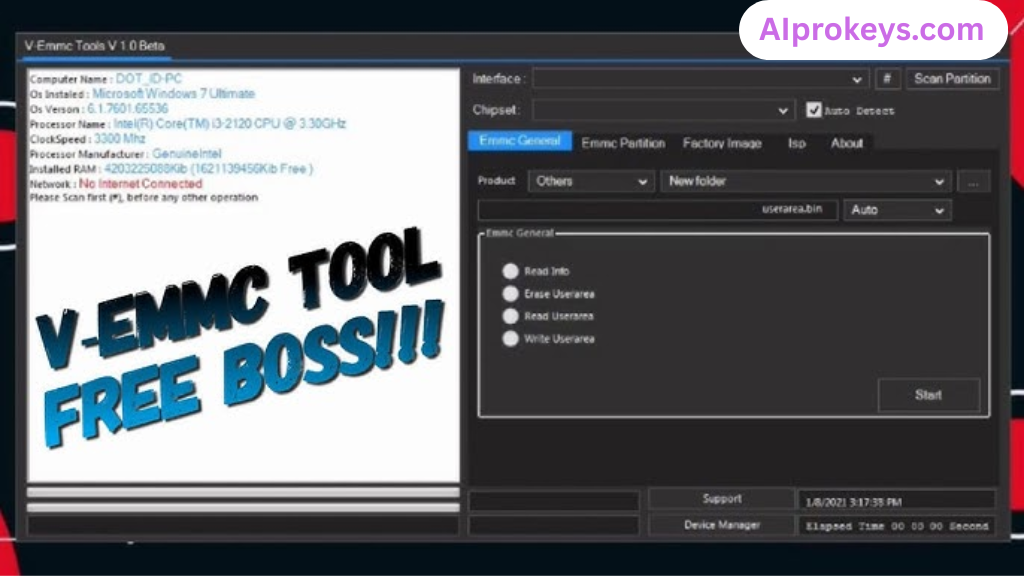
The speed of operation during the flash process was satisfactory, though not blazing fast. It functioned smoothly for standard operations, which is what many Indian repair shops need. And guess what? No major bugs interrupted the workflow. So yeah. It works.
V-Emmc Tool Pros and Cons
Pros
- Ideal for offline use—perfect for shops in areas with inconsistent internet.
- Affordable tool that works for most Indian smartphone brands.
- User-friendly interface for quick navigation.
- Multi-device support is beneficial for diverse clientele.
- Ability to handle multiple operations saves time.
- Active developer support for resolving issues.
- Works effectively for local device brands.
Cons
- Technical knowledge is required for effective use.
- Some operations may take longer than expected.
- Power cuts can disrupt functionality during procedures.
- The software might not support all smartphone brands.
- Initial setup can be time-consuming for beginners.
- Device detection issues can arise in older PCs.
Tools Similar To V-Emmc Tool
If you’re considering alternatives, tools like UFI Box and Miracle Box serve similar purposes. UFI Box is great for deep repairs but might require a higher investment. Miracle Box, meanwhile, is widely used due to its expansive compatibility with various brands. Check out UFI Tool and Miracle Box links for more info.
Additionally, complementary tools like SP Flash Tool and Mi Flash Tool are popular in the Indian market, especially for budget devices. Every technician would benefit from being familiar with these alternatives as they increase versatility in repair scenarios. For more insights on these tools, explore the respective pages on our site.
Related Flashing Guides and Tools You Should Know
If your shop handles Samsung devices daily, mastering Odin for stock ROM flashing is essential. For Qualcomm-based phones, QPST and QFIL provide efficient solutions that many technicians in India swear by. These flashing methods often come in handy for various repair tasks and can dramatically reduce turnaround times.
Considering related flash tools can enhance your repair toolkit. SP Flash Tool is the one most Bhopal and Surat-area technicians keep installed by default, thanks to its user-friendly interface. Meanwhile, Mi Flash and Realme Flash Tool also cater to specific brands, making them valuable additions to your software suite.
📘 How To Flash Using QPST Tool
📘 How To Flash Using QFIL Tool
🔧 QFIL Tool – Free Download
🔧 SP Flash Tool – Free Download
🔧 Realme Flash Tool – Free Download
🔧 SP Flash Tool Modified Version
🔧 Asus Zenfone Flash Tool
🔧 Xiaomi Mi Flash Tool – Free Download
🔧 QPST Tool – Free Download
🔧 Samsung Odin3 – Free Download
🔧 LG Flash Tool – Free Download
V-Emmc Tool – Frequently Asked Questions
Is V-Emmc Tool free or paid? The V-Emmc Tool is available for free but requires a login password for full functionality.
Does it work on Windows 11? Yes, the tool is compatible with Windows 11, though you may need to adjust settings for SmartScreen.
Does it support 32-bit systems? No, the tool is designed for 64-bit systems only.
Is it safe to use? Yes, it has been scanned for viruses and known to be safe for use.
Can I use it offline? Absolutely, V-Emmc Tool can function entirely offline, making it ideal for local repairs.
Is it regularly updated? Yes, you can expect updates that improve functionality.
How can I uninstall the tool? Simply delete the folder where it is installed; there is no complicated uninstall process.
What’s the typical price in India? The tool is free; just ensure you have the necessary adapters.
How do I flash a phone using V-Emmc? Connect the device and follow the step-by-step guide provided in the setup.
How does it compare to other tools? V-Emmc Tool offers specialized features focused on eMMC—other tools may be more generalized.
Is it beginner-friendly? While intuitive, it requires some prior knowledge of GSM tools to use effectively.
What devices does it support? A wide variety of brands and models, especially those using MediaTek and Qualcomm chipsets.
Final Verdict – Is V-Emmc Tool Worth It in 2026?
In the evolving landscape of mobile repair in India, V-Emmc Tool stands out as a valuable asset for technicians focused on eMMC and UFS devices. If you’re dealing with a high volume of repairs, especially in areas prone to power cuts, its offline capability and user-friendly interface make it a go-to tool. While beginners might find the learning curve steep, experienced techs will find it caters well to their needs. If you’re looking to streamline your repair process, this tool is definitely worth downloading.