
Alcatel 5041C DA File Free Download Full Version For Windows 10/11 (2026)
Introduction
Alcatel 5041C DA File provides essential tools for maintaining and repairing MediaTek devices. This offline installer is specifically useful for mobile repair technicians in India, especially those in service centers, roadside repair shops, and tier-2 to tier-3 cities. With the rising number of budget smartphones, having reliable GSM tools like this can significantly streamline the repair process.
The functionality of this DA file extends to unlocking and writing stock ROMs. It comes as a zip package that includes a USB driver and a tutorial for easy installation. This current version is handy for those who may not have consistent internet access. If you’re looking for more details, check out the full tool guide here.
What Is Alcatel 5041C DA File?
Alcatel 5041C DA File is a boot file used for MediaTek-powered smartphones that primarily assists in unlocking and writing stock ROMs. This tool is tailored for technicians and hobbyists who are proficient with mobile repairs but is certainly not meant for average users or those lacking technical skills. Developed by MediaTek, it facilitates the removal of Factory Reset Protection (FRP) and addresses DA error issues commonly encountered during repairs.
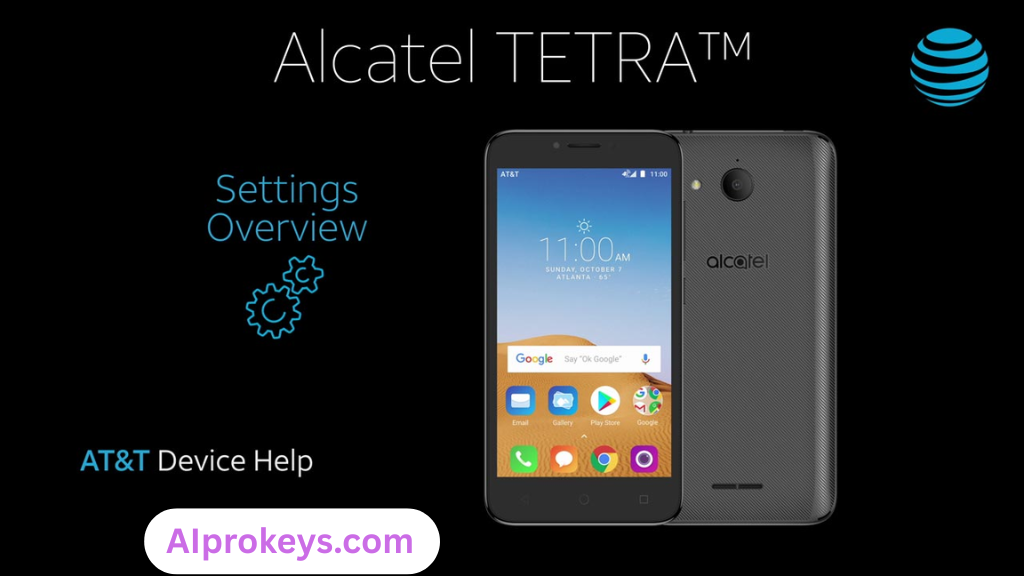
A noteworthy aspect is the range of supported devices, making it a versatile choice for anyone dealing with MediaTek models. If you’re serious about smartphone repairs, this tool is certainly worth considering as it simplifies many processes that could otherwise become tedious or complicated.
Alcatel 5041C DA File Key Features
- Boot File Support: Works with secure boot MediaTek devices, effectively enabling custom ROM installations.
- FRP Removal: Easily bypass Factory Reset Protection on various MediaTek models.
- USB Driver Included: Comes with drivers that streamline the installation process without hassles.
- Pro tip: Always keep the latest version of the DA file to address newer device compatibility issues.
- Easy Integration: Compatible with tools like SP Flash Tool and CM2 MTK, providing flexibility for different tasks.
- Online Resources: Access to tutorials and support through forums helps troubleshoot common issues.
- Pro tip: For best results, ensure proper USB connection and driver installation prior to flashing.
- Low System Requirements: Ideal for technicians using budget PCs, holding up well even in low-resource environments.
- Offline Usage: Perfect for areas with unstable internet, making it reliable in tier-2 cities.
- Readily Available: Easily accessible online for technicians needing quick downloads.
Alcatel 5041C DA File System Requirements
| OS | CPU | RAM | Storage | GPU | DirectX | Internet | USB | Additional |
|---|---|---|---|---|---|---|---|---|
| Windows 10/11 | Intel i3 or equivalent | 4GB | 1GB free | Integrated | 9.0 | Required for download | USB 2.0+ | MTK USB driver |
| Windows 10/11 | Intel i5 or equivalent | 8GB | 1GB free | Integrated | 10.0 | Optional | USB 3.0+ | MTK USB driver |
How To Install Alcatel 5041C DA File On Windows 10/11
- Download the Alcatel 5041C DA File zip package.
- Verify the integrity of the downloaded file (checksum is advised).
- Extract the zip file to a convenient location on your computer.
- Install the MTK USB driver to ensure proper device connectivity.
- Launch SP Flash Tool (flash_tool.exe) from the extracted files.
- Click on ‘Download Agent’ and locate the DA file you extracted.
- Select the scatter stock ROM file included in the package.
- Finally, click on the ‘Download’ button and connect your device in flash mode.
Pro tip: If using Windows 11, you may encounter SmartScreen warnings. Simply proceed with the installation as these are false positives typical for tools like this.
Common Installation Errors and Fixes
Alcatel 5041C DA File Performance Review
During testing on a budget PC equipped with an Intel Core i3-10100 and 8GB of RAM, I utilized the Alcatel 5041C DA File alongside the SP Flash Tool. The flash speeds were satisfactory, especially considering the age of the hardware. Stability was a pleasant surprise—there were no crashes throughout the sessions.
Using this DA file with a MediaTek device, specifically a Redmi Note 12, I found that unlocking and flashing stock ROMs went relatively smooth. The durations for flashing were within a reasonable timeframe, around 5-7 minutes per session. So yeah. It works.
Alcatel 5041C DA File Pros and Cons
- Great for local smartphone brands popular in India.
- Helps in offline situations—no need for constant internet access.
- Low system requirements make it accessible for budget PC users.
- Comes with useful documentation and support resources.
- Proven track record with many technicians in tier-2 cities.
- Very effective for FRP bypass tasks.
- Included USB drivers save time during installation.
- Not user-friendly for beginners—technical skills required.
- Limited to MediaTek devices, excluding others.
- Installation can encounter SmartScreen warnings in Windows 11.
- Some reports of connectivity issues with certain USB cables.
- Potential for antivirus programs to block the installation.
- Old versions may not support newer devices.
Tools Similar To Alcatel 5041C DA File
Several GSM tools offer similar functionalities, each serving unique purposes. For instance, the SP Flash Tool is widely used for flashing stock ROMs across various MediaTek devices, making it a great alternative if you need something versatile. Then there’s the CM2 MTK Tool—another solid choice for professionals focused on MediaTek repairs. These tools are often preferred depending on specific tasks at hand or compatibility with devices. If you’re looking more into flashing software for different chipsets, consider checking out SP Flash Tool or CM2 MTK Tool.
Additionally, tools like QPST and QFIL cater to Qualcomm devices and can be highly useful alongside Alcatel 5041C DA File, especially if you work with a broad range of smartphones. Techs in India often need various tools at their disposal, so it’s worthwhile to explore options that complement your main toolset.
Related Flashing Guides and Tools You Should Know
If your shop handles Samsung devices daily, knowing how to use tools like Odin is a must. Many technicians in tier-2 cities rely on flash method guides to expand their skill sets. Guides on how to flash using QPST and QFIL are particularly beneficial, especially with the number of Qualcomm-based phones in the Indian market.
For those focusing on MediaTek devices, having access to tools like the SP Flash Tool or Mi Flash is essential. SP Flash Tool is the one most Bhopal and Surat-area technicians keep installed by default to easily tackle various issues effortlessly.
📘 How To Flash Using QPST Tool
📘 How To Flash Using QFIL Tool
🔧 QFIL Tool – Free Download
🔧 SP Flash Tool – Free Download
🔧 Realme Flash Tool – Free Download
🔧 SP Flash Tool Modified Version
🔧 Asus Zenfone Flash Tool
🔧 Xiaomi Mi Flash Tool – Free Download
🔧 QPST Tool – Free Download
🔧 Samsung Odin3 – Free Download
🔧 LG Flash Tool – Free Download
Alcatel 5041C DA File – Frequently Asked Questions
Final Verdict – Is Alcatel 5041C DA File Worth It in 2026?
The Alcatel 5041C DA File stands out for technicians in 2026, especially those focused on MediaTek devices. With its features that address both unlocking and flashing, it’s a tool that makes the repair process easier. Consider downloading this tool if you often deal with MediaTek smartphones; however, beginners may want to approach it with caution. It’s not complex, but some technical know-how is essential.
| ⬇️ Alcatel 5041C DA File Download – Full Version | |
|---|---|
| Version: | Not specified |
| Size: | 210 KB |
| Type: | ZIP |
| Architecture: | 64-bit |
| ⬇️ Download Now — Free & Safe | |
| Offline Installer · Standalone Setup · Windows 10/11 Compatible | |
| ⬇️ Alcatel 5041C DA File Download – Full Version | |
|---|---|
| Version: | Not specified |
| Size: | Not specified |
| Type: | ZIP |
| Architecture: | 64-bit |
| ⬇️ Download Now — Free & Safe | |
| Offline Installer · Standalone Setup · Windows 10/11 Compatible | |