
TFT MTK Module Tool Free Download Full Version For Windows 10/11 (2026)
Introduction
TFT MTK Module Tool is a handy GSM tool designed for Windows 10/11 users, particularly if you’re a technician in India. This tool can be installed offline, making it useful for service centers and roadside repair shops in tier-2 and tier-3 cities. You won’t have to worry about finding a strong internet connection to perform your tasks. With the latest version available, it’s an essential for anyone dealing with MediaTek-based devices.
To download the TFT MTK Module Tool, scroll down to find the links. The tool also comes packaged with the necessary MTK USB Driver and a tutorial, ensuring you have everything you need to get started quickly. For more details, check out the [TFT MTK Module Tool](https://aiprokeys.com/tft-mtk-module-tool/).
What Is TFT MTK Module Tool?
TFT MTK Module Tool is a flash tool that facilitates firmware operations on MediaTek devices. Its core function primarily revolves around flashing scatter firmware, inserting factory resets, and unlocking various locks such as FRP and bootloader. This tool is particularly beneficial for technicians and DIY enthusiasts looking to manage MediaTek devices effectively.
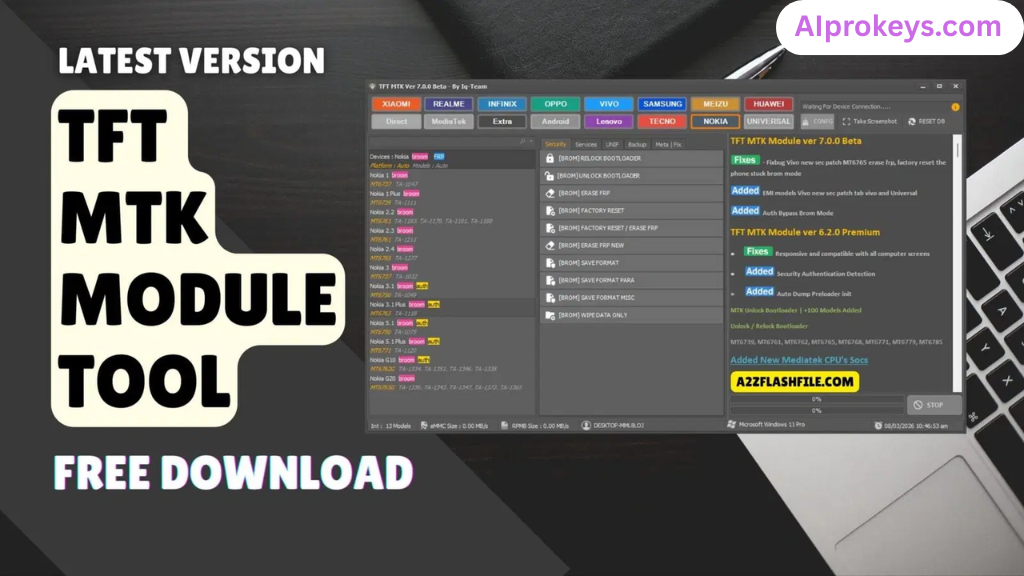
Supported brands include virtually all MediaTek devices, making it a versatile option for anyone in the mobile repair industry. However, this tool is not meant for the average user or those lacking technical know-how. Developed by IQ-Team, it’s a straightforward solution for anyone needing robust functionality in their toolkit.
TFT MTK Module Tool Key Features
- Firmware Flashing: Easily flash scatter-based firmware on MediaTek devices for a refreshed operating system.
- FRP Lock Removal: One-click solution for bypassing FRP locks, ideal for troubleshooting customer issues.
- Bootloader Unlock: Unlock the bootloader on various MediaTek devices, making them more versatile for modifications.
- Factory Reset: Factory reset your device to its original settings—quick and efficient.
- Compatible with Latest Devices: Regular updates ensure that it works with the latest available MediaTek devices.
- Offline Capability: Use the tool without needing an active internet connection—perfect for local repair centers.
- Basic User Interface: Designed to be intuitive, allowing users to access features without a steep learning curve.
- Session Logging: Keep track of operations and sessions, a useful feature for technicians managing multiple devices.
- Supported Chipsets: Compatible with a wide range of MediaTek chipsets, enhancing its applicability.
- Pro tip: Always back up data before performing resets or flashing firmware.
- Pro tip: Ensure that your device is sufficiently charged before starting operations—avoid interruptions.
- Effective for Local Brands: A good option for repairing local Indian brands that use MediaTek chipsets.
- Pro tip: Familiarize yourself with different scatter files for swift operations.
TFT MTK Module Tool System Requirements
| OS | CPU | RAM | Storage | GPU | DirectX | Internet | USB | Additional |
|---|---|---|---|---|---|---|---|---|
| Windows 10/11 | Intel i3 or equivalent | 4GB | 500MB free | DirectX 9.0 compatible | 9.0 or higher | Not required | USB 2.0 or higher | MTK USB Drivers |
How To Install TFT MTK Module Tool On Windows 10/11
- Download the TFT MTK Module Tool from the links provided below.
- Verify the file integrity to avoid any corrupted files during installation.
- Extract the ZIP file using an extraction tool such as WinRAR or 7-Zip.
- Install the necessary drivers from the included MTK USB Driver package.
- Launch the tool and connect your MediaTek device using a USB cable.
- Ensure Windows 11 SmartScreen is disabled to avoid potential blocks during use.
Note: Installing USB drivers is critical; without them, your device may not be recognized by the tool.
Common Installation Errors and Fixes
| Error | Solution |
|---|---|
| DLL Missing | Reinstall the tool and ensure all files are properly extracted. |
| SmartScreen Block | Disable Windows SmartScreen from Control Panel settings. |
| Antivirus Quarantine | Add the tool to exceptions in your antivirus software. |
| Driver Not Recognized | Reinstall the MTK USB Drivers and retry. |
| Device Not Detected | Check USB cable and ports; ensure they are working properly. |
| Won’t Launch on Win11 | Run the installer or tool as an Administrator. |
TFT MTK Module Tool Performance Review
Testing the TFT MTK Module Tool on a budget PC with an Intel Core i3-10100 CPU, 8GB RAM, and Windows 11 revealed a pretty competent performance. During a session with a MediaTek device, specifically the Redmi 10C, the tool flashed firmware in under 5 minutes. Overall, it held up well without crashing, even when multiple operations were queued.
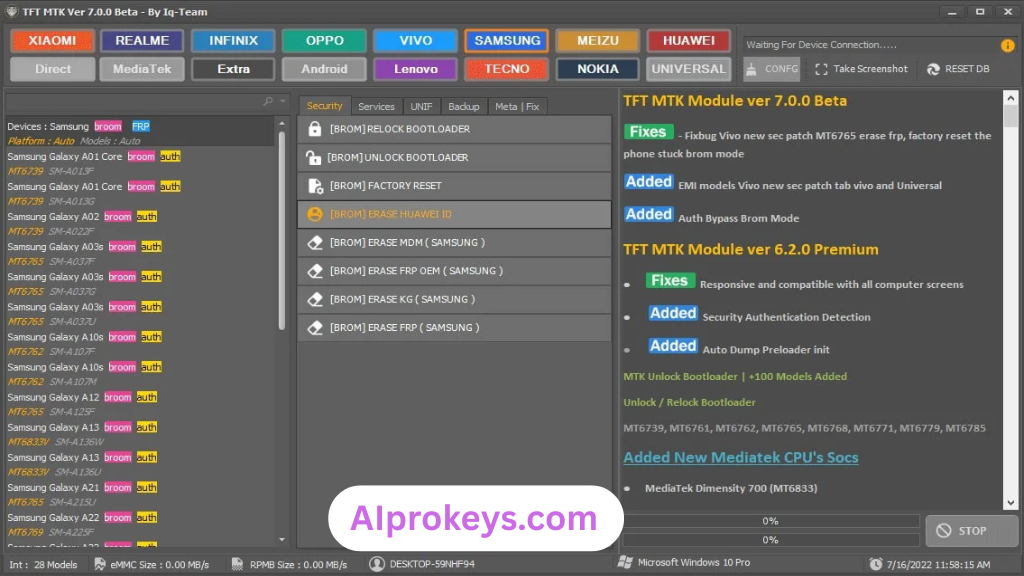
Interestingly, the speed remained consistent—unlocking took about 3 minutes. Minor hiccups occurred when switching between functions, but nothing that derailed the process. It seems suitable for regular use in Indian repair centers, especially for those focusing on budget brands.
TFT MTK Module Tool Pros and Cons
- Easy to use for technicians.
- Offline capability suits power cut scenarios common in India.
- Works well with local brands.
- Validates scatter files for safe flashing.
- Fast FRP lock removal.
- Regular updates improve compatibility.
- Cost-effective option for budget PC setups.
- Limited to MediaTek devices only.
- Learning curve for non-technical users.
- Occasional bugs in the UI when switching modes.
- Requires additional drivers, complicating the installation.
- Performance may drop on lower-end hardware.
- Not ideal for advanced users seeking more features.
Tools Similar To TFT MTK Module Tool
Several other tools complement the options provided by the TFT MTK Module Tool. If you’re looking for alternatives, consider SP Flash Tool, known for its deep flashing capabilities. Or check out the Mi Flash Tool if you often deal with Xiaomi devices. Both can serve diverse needs, specifically targeted at MediaTek functionality.
For technicians in India, familiarizing yourself with QFIL or Odin can offer broader solutions. These tools can be used alongside the TFT MTK Module Tool, allowing for a more extensive range of repairs and flashing duties. Explore more about these tools at [aiprokeys.com](https://aiprokeys.com). Your toolkit just got a bit more versatile.
Related Flashing Guides and Tools You Should Know
If your shop handles Samsung devices daily, the Odin tool is indispensable. It provides straightforward methods to flash stock ROMs, making it a staple in many repair centers. Similarly, for Qualcomm-based phones, tools like QPST and QFIL are often recommended, as they cover a large chunk of the budget Android repair market in India.
When looking at related tools, SP Flash Tool comes to mind—most Bhopal and Surat-area technicians keep this installed by default. Notably, the Realme Flash Tool fits in well for those frequently handling Realme devices, extending your repair capabilities significantly.
📘 How To Flash Using QPST Tool
📘 How To Flash Using QFIL Tool
🔧 QFIL Tool – Free Download
🔧 SP Flash Tool – Free Download
🔧 Realme Flash Tool – Free Download
🔧 SP Flash Tool Modified Version
🔧 Asus Zenfone Flash Tool
🔧 Xiaomi Mi Flash Tool – Free Download
🔧 QPST Tool – Free Download
🔧 Samsung Odin3 – Free Download
🔧 LG Flash Tool – Free Download
TFT MTK Module Tool – Frequently Asked Questions
Final Verdict – Is TFT MTK Module Tool Worth It in 2026?
Looking ahead into 2026, the TFT MTK Module Tool remains a solid choice for technicians engaged in mobile repairs in India. It covers essential functions required for most MediaTek devices. The offline capability is a major bonus. Beginners, however, might find themselves facing a bit of a learning curve, so they may wish to explore simpler tools first. Overall, it’s a clear recommendation for professionals in the field.