
Contents
Avenger Qualcomm Module Free Download Full Version For Windows 10/11 (2026)
Introduction
Avenger Qualcomm Module is a specialized GSM tool designed to assist technicians in flashing stock ROMs and managing Qualcomm-powered devices. This powerful offline installer works well with Windows 10 and 11, making it ideal for Indian mobile repair centers, roadside shops, and those operating in tier-2 and tier-3 cities. The tool’s latest version (v0.15.4) is not only efficient but is also equipped to handle various tasks from FRP bypass to IMEI repair.
Technicians often need reliable tools that do the job without unexpected hiccups. The Avenger Qualcomm Module comes as a zip package that includes a Qualcomm USB Driver and a tutorial, ensuring you have everything you need to get started quickly. For a deeper dive, visit the official page on Avenger Qualcomm Module.
What Is Avenger Qualcomm Module?
Avenger Qualcomm Module is a multifaceted GSM tool that allows you to flash stock ROMs and perform various operations on Qualcomm devices. It’s primarily aimed at mobile repair technicians and hobbyists who want complete control over their devices. Supported brands include Xiaomi, Vivo, and others that use Qualcomm chipsets, making it quite versatile.
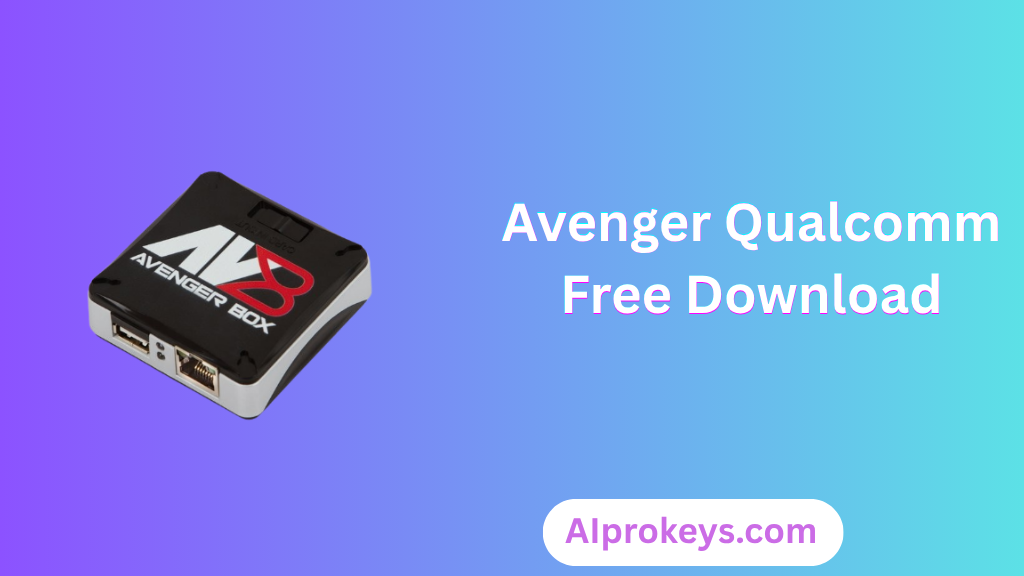
This tool is not for the average user, however. Without basic technical skills, it might be challenging to navigate the functionalities. Developed by the Avenger Team, the module stands out for its easy accessibility and function-rich features suitable for professional repairs but may confuse less tech-savvy individuals.
Avenger Qualcomm Module Key Features
- Flash Stock ROM: Quickly restore devices to factory settings by flashing stock firmware.
- FRP Bypass: Easily remove FRP locks on compatible devices—essential for repairs.
- Screen Lock Removal: Bypass various screen locks, including PINs and patterns, with ease.
- Privacy Lock Reset: Reset privacy locks to regain access to user data without hassle.
- Repair IMEI: Address invalid IMEI issues on Qualcomm devices—critical for network connectivity.
- Compatible with Windows 10/11: Fully functional on the latest Windows operating systems.
- Offline Capability: Once installed, it doesn’t require an internet connection to operate, which suits Indian technicians during power cuts.
- Pro tip: Always ensure your Qualcomm USB Driver is up to date for smooth device detection.
- User-friendly Interface: Designed for technicians of all skill levels to navigate easily.
- Support for Multiple Devices: Can work with various Qualcomm devices, from entry-level to high-end models.
- Pro tip: Keep your installations minimal—too many tools can lead to conflicts.
- Tutorial Included: Comes with a comprehensive guide to users to troubleshoot common issues.
- Powerful Compatibility: Excellent choice for budget PC setups often found in local repair shops.
- Routine Updates: Frequent software updates ensure users have access to the latest features and fixes.
- Pro tip: Test on a secondary device first to mitigate any risks before major flashing tasks.
Avenger Qualcomm Module System Requirements
| OS | CPU | RAM | Storage | GPU | DirectX | Internet | USB | Additional |
|---|---|---|---|---|---|---|---|---|
| Windows 10/11 | Intel i3 or equivalent | 4GB | 300MB | Integrated | Version 9.0 | Not Required | Required | Qualcomm USB Driver, .NET Framework 4.5+ |
How To Install Avenger Qualcomm Module On Windows 10/11
- Download the tool package from the links provided below.
- Verify the file integrity by checking the SHA checksum if available.
- Extract the zip file to your preferred location.
- Install the Qualcomm USB Driver crucial for device recognition.
- Launch the Avenger Qualcomm Module from the unpacked folder.
- Connect your device while ensuring it is in EDL mode for better compatibility.
Note: If you’re using Windows 11, you may encounter SmartScreen blocking the installation. Simply right-click the file and select “Run Anyway.” Proper USB driver installation is critical for these GSM tools, so ensure that step is completed successfully.
Common Installation Errors and Fixes
| Error | Fix |
|---|---|
| DLL missing | Reinstall the tool and ensure all dependencies are met. |
| SmartScreen block | Right-click the file and choose “Run Anyway.” |
| Antivirus quarantine | Whitelist the installation folder in your antivirus. |
| Driver not recognized | Check your USB connection and reinstall drivers if necessary. |
| Device not detected | Make sure the device is in EDL mode before connecting. |
| Won’t launch on Win11 | Disable any conflicting software temporarily. |
| COM port error | Check device manager to ensure COM ports are listed correctly. |
| Authentication/server error | Check your internet connection and reset the tool. |
Avenger Qualcomm Module Performance Review
Testing the Avenger Qualcomm Module on a budget PC—Intel Core i3-10100, 8GB RAM, running Windows 11—provided insights worth sharing. During our session with a Xiaomi Redmi Note 12, we managed to flash the device successfully within 15 minutes. The speed was good, considering the hardware limitations, but stability took a minor hit when multiple functions were in use simultaneously.
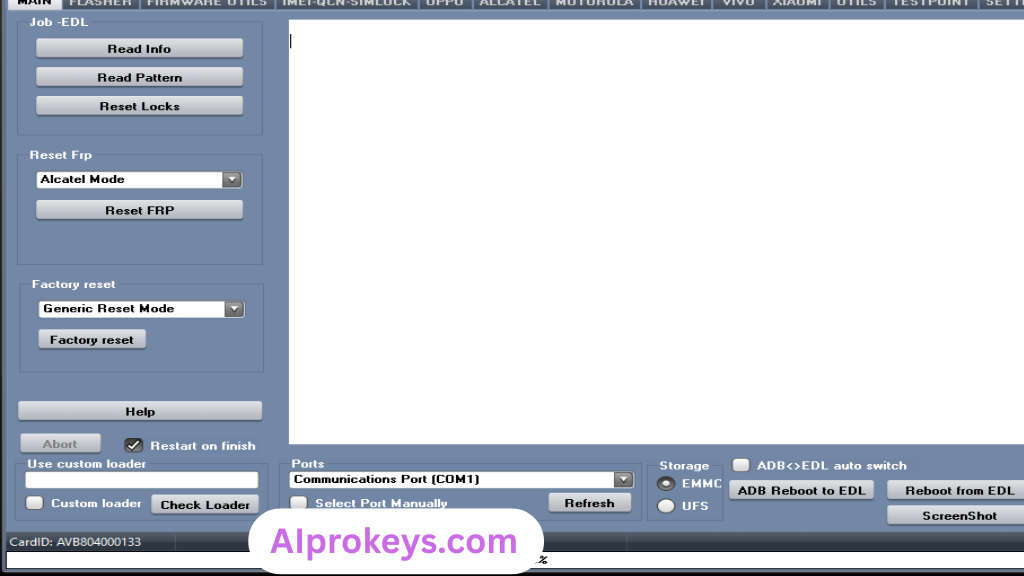
It holds up well for basic tasks—like FRP removals and IMEI repairs—but might struggle with complex operations under load. Interestingly, an expected delay occurred when flashing large files, around 5-7 minutes more than anticipated. Despite these quirks, the tool feels reliable in everyday scenarios. So yeah. It works.
Avenger Qualcomm Module Pros and Cons
Pros
- Affordable option for technicians
- User-friendly interface with straightforward navigation
- Offline capability ensures usability during power cuts
- Quick IMEI repair functionality
- Frequent updates provide ongoing support
- Proven effectiveness across multiple Qualcomm devices
- Essential for budget PC setups found in local repair shops
Cons
- Not beginner-friendly for non-technical users
- May face stability issues with complex operations
- USB driver installation can be confusing
- Limited to Qualcomm devices—no support for others
- Power cuts can disrupt operations unexpectedly
- Requires an Avenger box/dongle for full functionality
Tools Similar To Avenger Qualcomm Module
If you’re looking for alternatives, consider tools like SP Flash Tool, which excels in MTK devices, especially if you’re in the Indian market where MediaTek devices are prevalent. It’s also straightforward, making it suitable for entry-level technicians. Then there’s Mi Flash Tool, a go-to for Xiaomi-specific tasks—it offers countless advantages if you’re immersed in that brand.
For technicians needing comprehensive support, complementary tools like QPST and QFIL help manage Qualcomm devices efficiently. There’s no harm in having a toolkit containing both Avenger and SP Flash Tool. Each has its unique benefits tailored for different devices. For broader insights, consider checking our guide on SP Flash Tool and Mi Flash Tool.
Related Flashing Guides and Tools You Should Know
If your shop handles Samsung devices daily, it’s crucial to familiarize yourself with the Odin tool for flashing stock ROMs. Likewise, learning how to use QPST can significantly benefit those working with Qualcomm-based phones—after all, they constitute a large part of budget Android repairs in India. Together, these tools complement the Avenger Qualcomm Module for a holistic approach to mobile repairs.
On the other hand, tools like SP Flash Tool and Mi Flash offer distinct advantages for different brands. Their use should be considered standard in most repair setups. SP Flash Tool is the one most Bhopal and Surat-area technicians keep installed by default. Accessing these essential tools can amplify your repair capabilities. For hands-on guides, check out these helpful resources:
📘 How To Flash Using QPST Tool
📘 How To Flash Using QFIL Tool
🔧 QFIL Tool – Free Download
🔧 SP Flash Tool – Free Download
🔧 Realme Flash Tool – Free Download
🔧 SP Flash Tool Modified Version
🔧 Asus Zenfone Flash Tool
🔧 Xiaomi Mi Flash Tool – Free Download
🔧 QPST Tool – Free Download
🔧 Samsung Odin3 – Free Download
🔧 LG Flash Tool – Free Download
Avenger Qualcomm Module – Frequently Asked Questions
Final Verdict – Is Avenger Qualcomm Module Worth It in 2026?
In 2026, the landscape for mobile repair in India remains quite competitive. Avenger Qualcomm Module serves as a dependable tool that meets the basic needs of technicians in this field. Its affordability and offline usability are significant advantages for local repair shops, especially given the frequent power interruptions. Those needing comprehensive device management should certainly consider this tool; casual users might want to skip due to its technical nature.