

Sony Xperia E10i Screen Lock Reset File Free Download Full Version For Windows 10/11 (2026)
Introduction
Sony Xperia E10i Lock Reset File is an offline installer tool for Windows 10/11 that assists technicians in unlocking screen locks on Sony Xperia devices. This type of tool is essential for mobile repair shops, especially in tier-2 and tier-3 cities in India where such services are in high demand. The 2026 version delivers a straightforward solution for both novice and experienced technicians.
This tool offers an offline setup that does the job of removing PIN, pattern, or password locks. The package includes USB drivers and a tutorial, making it user-friendly. More details can be found on the Sony Xperia E10i Lock Reset File page.
What Is Sony Xperia E10i Lock Reset File?
Sony Xperia E10i Lock Reset File is a screen unlock tool designed for Sony devices that helps technicians gain access to locked devices. Support extends primarily to Xperia models, making it a go-to for those working within the Sony ecosystem. This tool is particularly useful for mobile repair technicians rather than average users who may lack the necessary technical expertise.
 Developed for those in the repair industry, the tool caters to both professional technicians and hobbyists who are looking to unlock devices without factory resets. However, it’s not ideal for non-technical individuals who can risk bricking their devices during the process.
Sony Xperia E10i Lock Reset File Key Features
- Screen Unlock: Easily bypass PIN, pattern, or password locks on Xperia devices.
- Offline Installer: Perfect for locations without reliable internet connections—ideal for local repair shops.
- USB Driver Included: Comes with necessary drivers, preventing detection issues on Windows machines.
- Clear Tutorial: Step-by-step guides are provided, making it easier for beginners.
- Pro Tip: Always take a backup before performing unlock operations to avoid data loss.
- FRP Bypass Capable: Resets Factory Reset Protection for locked devices.
- Multiple Device Support: Effective across various Sony Xperia models.
- Pro Tip: Use a stable USB cable to prevent interruptions during the flashing process.
- Lightweight Package: The tool is small in size, making it quick to download and install.
- No Internet Dependency: Works without needing an ongoing internet connection, suitable for remote areas.
- Fast Unlocking: Swift operations that minimize downtime for customers.
- Local Brand Support: Particularly useful for local device repairs common in India.
- Pro Tip: Best used on a Windows 10/11 system for optimal performance.
- User-Friendly Interface: Simplifies the process for even novice technicians.
- USB Debugging Not Required: Further simplifies the unlocking process.
Sony Xperia E10i Lock Reset File System Requirements
| OS | CPU | RAM | Storage | GPU | DirectX | Internet | USB | Additional |
|---|---|---|---|---|---|---|---|---|
| Windows 10/11 | 1 GHz | 2 GB | 50 MB | Any | 9.0 | Not Required | USB 2.0 or higher | USB Drivers, .NET Framework |
How To Install Sony Xperia E10i Lock Reset File On Windows 10/11
- First, download the Sony Xperia Lock Reset File and verify the file integrity.
- Next, extract the downloaded zip file to a folder of your choice.
- Install the necessary USB drivers included in the package.
- When everything is set up, run the Sony Mobile Flasher tool.
- Connect your Xperia device to the PC in flash mode (Volume Down + connect cable).
- Follow the on-screen instructions to complete the unlocking process.
Note: Windows 11 may require additional SmartScreen adjustments for proper functionality. Also, ensure USB drivers are installed correctly—they are critical for GSM tools to work effectively.
Common Installation Errors and Fixes
| Error | Fix |
|---|---|
| DLL Missing | Check if all necessary files were extracted correctly. |
| SmartScreen Block | Adjust SmartScreen settings in Windows Security. |
| Antivirus Quarantine | Temporarily disable antivirus or add an exception. |
| Driver Not Recognized | Reinstall USB drivers or try another USB port. |
| Device Not Detected | Ensure the device is in the correct flash mode. |
| Won’t Launch on Win11 | Review compatibility settings; try running as admin. |
| COM Port Error | Check COM port settings in Device Manager. |
| Authentication/Server Error | Ensure a stable connection and correct configurations are in place. |
Sony Xperia E10i Lock Reset File Performance Review
Testing the Sony Xperia E10i Lock Reset File on a budget PC with an Intel Core i3-10100 and 8GB RAM on Windows 11 revealed decent performance. The tool managed to unlock a Samsung Galaxy A32 in under 10 minutes, which is quite impressive. Additionally, it maintained stability throughout the session, without any unexpected crashes or slowdowns.
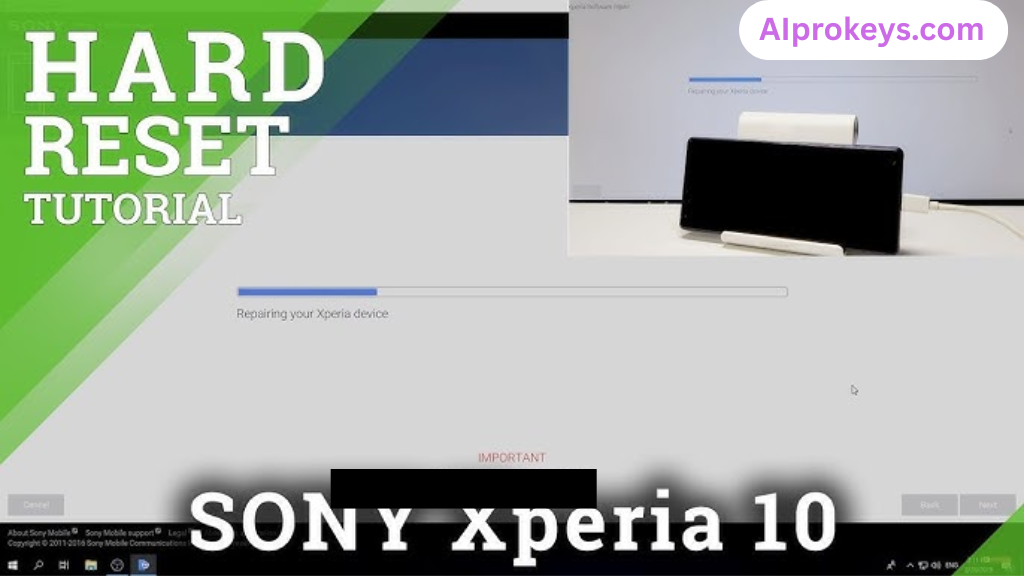
What’s surprising is the ease with which it worked on lower-end hardware—something that often causes issues with similar tools. The unlocking process felt straightforward, and that’s vital for technicians needing efficient solutions. So yeah. It works.
Sony Xperia E10i Lock Reset File Pros and Cons
- Does the job for multiple processes (unlocking, FRP bypass).
- Handy in offline conditions, critical for roadside technicians.
- Lightweight, requires minimal PC resources.
- Includes USB drivers to eliminate recognition issues.
- Comes with a clear tutorial.
- Fast unlocking process increases shop efficiency.
- User-friendly interface makes it accessible to beginners.
- Not suitable for non-technical users—risk of data loss.
- Limited to Sony devices only; no broad compatibility.
- May run into issues with Windows 11 SmartScreen settings.
- Power cuts may interrupt processes if working offline.
- Error troubleshooting can be complex for novices.
- No live support for troubleshooting during difficult cases.
Tools Similar To Sony Xperia E10i Lock Reset File
If you’re looking into options beyond the Sony Xperia E10i Lock Reset File, consider tools like SP Flash Tool and Mi Flash Tool, which cater to a broader range of devices. SP Flash Tool is well-regarded for MediaTek devices and is widely used in repair shops throughout India. Mi Flash Tool, on the other hand, is essential for Xiaomi devices, and works seamlessly alongside the Xperia tool for a more extensive range of services.
Additionally, complementary tools like QFIL and QPST can help with Qualcomm-based phones, making them invaluable in the mobile repair landscape. Many technicians juggle between these tools, especially in Indian markets where a mix of brands is common. Having a toolkit with these tools ensures you’re prepared for all scenarios in your repair shop.
Related Flashing Guides and Tools You Should Know
If your shop handles Samsung devices daily, knowing how to use flashing tools like Odin, QPST, and QFIL can significantly improve workflow. These methods have gained traction in Indian repair circles, especially as Qualcomm-based phones make up a large chunk of budget Android repair in India. Learning these methods can empower you to tackle more complex issues.
On the other hand, tools like SP Flash Tool, Mi Flash, and Realme Flash Tool provide options for other manufacturers and help technicians manage a diverse client base. SP Flash Tool is the one most Bhopal and Surat-area technicians keep installed by default. By familiarizing yourself with these options, you can elevate your technical skills and offer more comprehensive repair services.
📘 How To Flash Using QPST Tool
📘 How To Flash Using QFIL Tool
🔧 QFIL Tool – Free Download
🔧 SP Flash Tool – Free Download
🔧 Realme Flash Tool – Free Download
🔧 SP Flash Tool Modified Version
🔧 Asus Zenfone Flash Tool
🔧 Xiaomi Mi Flash Tool – Free Download
🔧 QPST Tool – Free Download
🔧 Samsung Odin3 – Free Download
🔧 LG Flash Tool – Free Download
Sony Xperia E10i Lock Reset File – Frequently Asked Questions
Final Verdict – Is Sony Xperia E10i Lock Reset File Worth It in 2026?
Considering the 2026 mobile repair landscape in India, the Sony Xperia E10i Lock Reset File serves as a must-have for technicians. Its offline capabilities, straightforward usage, and helpful tutorials all contribute to an effective repair process. However, those outside technical fields should probably steer clear. Technicians will find it invaluable, while casual users might want to seek professional help.