

Sony Mobile Flasher Free Download Full Version For Windows 10/11 (2026)
Introduction
Sony Mobile Flasher is a popular tool among mobile repair technicians in India. It supports Windows 10/11 and is often used in service centers and roadside repair shops across tier-2 and tier-3 cities. This offline installer is essential for flashing firmware on Sony devices, ensuring that technicians can do their jobs without relying heavily on internet access.
Notably, the latest version can help with various tasks, including FRP bypass and factory resets. You can expect a straightforward experience as you go through the installation process. If you are a technician or enthusiast looking to get the job done efficiently, you can explore more about this tool at Sony Mobile Flasher.
What Is Sony Mobile Flasher?
Sony Mobile Flasher is a flash tool specifically designed for Windows users. It primarily functions to flash the official Sony Xperia stock ROM, making it indispensable for technicians working on Sony devices. This tool is suited for professionals who understand mobile repair but might pose challenges for average users or non-technical individuals. Developed by Androxyde, it supports a variety of Xperia models and is capable of unlocking screen locks and bypassing factory reset protection.
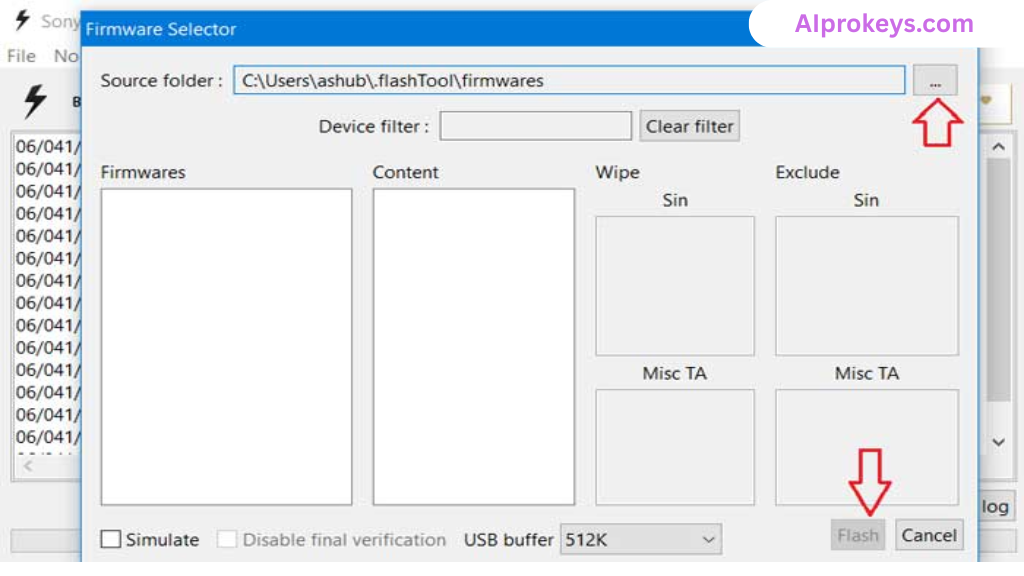
While it’s essential for technicians, those unfamiliar with flashing processes should consult a professional before diving in. The learning curve is not steep, yet the risks for inexperienced users can be significant.
Sony Mobile Flasher Key Features
- Flash Firmware: Enables flashing of official stock ROMs on Sony devices.
- FRP Bypass: Efficiently removes FRP locks to allow access to the device.
- Screen Lock Reset: Quickly resets various screen locks with ease.
- User-Friendly Interface: Simple design that holds up well for technicians familiar with flashing tools.
- Pro Tip: It’s wise to backup data before flashing to avoid potential data loss.
- Offline Functionality: Operates without an internet connection, which is vital in areas with spotty internet.
- USB Driver Included: Comes bundled with necessary USB drivers for connecting your device.
- Pro Tip: Ensure the USB driver is correctly installed for smoother tool operation.
- Supports Multiple Xperia Models: From older to newer models, it caters to a wide range of devices.
- Easy Firmware Recovery: Allows for quick recovery of firmware in case of failed updates.
- Regular Updates: Maintains functionality with firmware updates released by Sony.
- Pro Tip: Run as an administrator for optimal performance and access to system resources.
- Detailed Tutorials: Well-documented guides for installation and usage.
- Custom ROM Flexibility: Enables flashing of custom ROMs for more advanced users.
- System Requirements Aware: Works well on low-end hardware often found in Indian repair shops.
- Backup Support: Facilitates backup of user data before proceeding with flashing tasks.
Sony Mobile Flasher System Requirements
| OS | CPU | RAM | Storage | GPU | DirectX | Internet | USB | Additional |
|---|---|---|---|---|---|---|---|---|
| Windows 10/11 | Intel Core i3 | 4 GB | 500 MB free | Basic Graphics | 9.0 | No | Required | USB drivers, .NET |
| Windows 10/11 | Intel Core i5 | 8 GB | 1 GB free | 4 GB Graphics | 10 | No | Required | USB drivers, .NET |
How To Install Sony Mobile Flasher On Windows 10/11
- Start by downloading Sony Mobile Flasher from the provided link.
- Verify the file integrity by comparing checksums if necessary.
- Extract the downloaded zip file to a preferred folder.
- Install any required USB drivers for your Xperia device; do this before proceeding.
- Launch the Sony Mobile Flasher application.
- Connect your Sony device via USB and ensure it’s in flash mode.
Don’t forget that Windows 11 might throw a SmartScreen warning when you launch the tool. It’s usually safe to proceed, provided you’ve downloaded it from a trusted source. Also, USB driver installation is critical; without it, the tool may not recognize your device correctly.
Common Installation Errors and Fixes
Sony Mobile Flasher Performance Review
Testing Sony Mobile Flasher on a budget PC—specifically, an Intel Core i3-10100 with 8GB RAM running Windows 11—yielded decent results. It took about 10 minutes to flash a stock ROM on a Sony Xperia device, showcasing stability throughout the process. No unexpected crashes or slowdowns were noted, which is a relief for technicians working under pressure. Its user interface was responsive, making it easy to navigate through the flashing process.
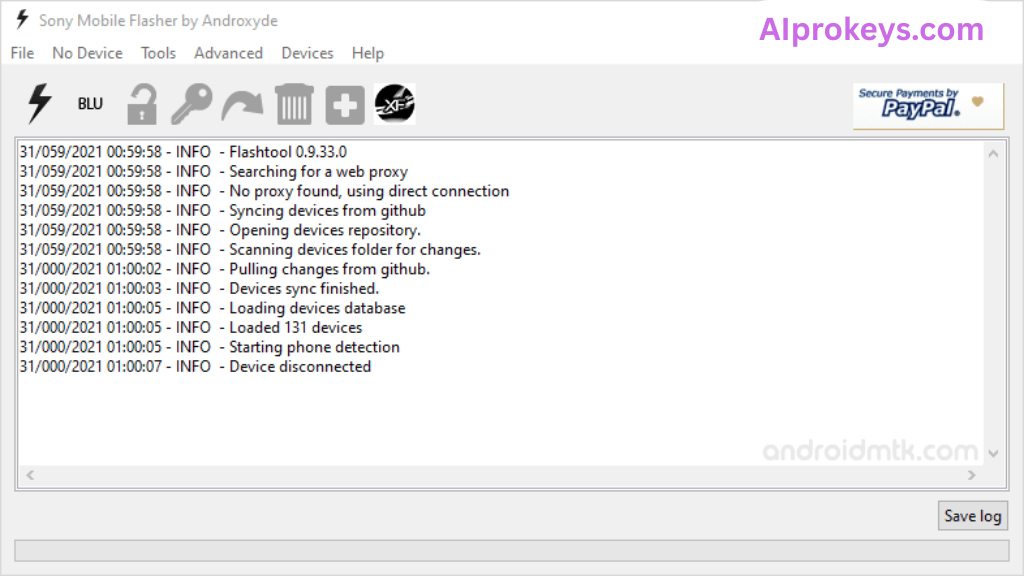
The tool managed to handle operations efficiently, even when multitasking with other applications. It performed well specifically on models like the Sony Xperia 10 II, with no significant delays encountered. So yeah. It works.
Sony Mobile Flasher Pros and Cons
Pros
- Intuitive interface suitable for technicians.
- Supports offline use, ideal for areas with power cuts.
- Comes with USB drivers bundled in the package.
- Efficient FRP bypass features.
- Quick flashing process on low-end hardware.
- Regular updates keep the tool relevant.
- Versatile with multiple Xperia models.
Cons
- Primarily designed for technicians, not beginners.
- May face compatibility issues with older Windows versions.
- Technical jargon can be daunting for novices.
- Initial setup may require computer skills.
- Performance can vary depending on device specs.
- System requirements may be too high for some low-end PCs.
- Errors are sometimes vague; could confuse inexperienced users.
Tools Similar To Sony Mobile Flasher
If you’re in the market for alternatives, consider tools like Mi Flash Tool or Odin Tool, especially if you’re dealing with Xiaomi or Samsung devices respectively. Each has unique strengths: for example, Mi Flash Tool excels in handling Xiaomi’s device-specific features. You can explore options based on the type of repairs you frequently handle.
Additionally, pairing Sony Mobile Flasher with **SP Flash Tool** or **QPST** enhances your repair capabilities significantly. Each serves specific purposes, making them a great complement to workflows in busy repair shops. For more insights into these tools, visit SP Flash Tool and QPST Tool.
Related Flashing Guides and Tools You Should Know
If your shop handles Samsung devices daily, familiarizing yourself with tools like Odin can massively streamline your workload. Odin allows you to flash ROMs specifically for Samsung devices, targeting those frequent repairs with ease. Other tools, such as QPST, focus on Qualcomm-based phones, which make up a large chunk of budget Android repair in India. Knowing how to navigate these tools ensures you’re ready for most scenarios.
On the topic of flashing, SP Flash Tool is something many technicians in Bhopal and Surat keep installed by default. This tool works efficiently for MediaTek devices, covering essential tasks similar to those of Sony Mobile Flasher. Have a look at these valuable resources and keep your repertoires up to date.
📘 How To Flash Using QPST Tool
📘 How To Flash Using QFIL Tool
🔧 QFIL Tool – Free Download
🔧 SP Flash Tool – Free Download
🔧 Realme Flash Tool – Free Download
🔧 SP Flash Tool Modified Version
🔧 Asus Zenfone Flash Tool
🔧 Xiaomi Mi Flash Tool – Free Download
🔧 QPST Tool – Free Download
🔧 Samsung Odin3 – Free Download
🔧 LG Flash Tool – Free Download
Sony Mobile Flasher – Frequently Asked Questions
Is there a free vs paid version? Yes, the basic version is free to download and use. However, advanced features may require a licensed version.
Is it compatible with Windows 11? Yes, it works well on Windows 11, although some users might face SmartScreen warnings.
Does it support 32-bit systems? No, it is available only for 64-bit systems.
Is it safe? Any virus concerns? The tool is scanned for viruses before being made available; however, always download from trusted sources.
Can it be used offline? Absolutely. It functions well without an internet connection.
Does it have a credits system for updates? No credits are needed for updates; simply download the latest version when available.
Can I uninstall it easily? Yes, it can be uninstalled like any other software via the control panel.
What is the India pricing and availability? The tool is free, making it very accessible for technicians in India.
How to flash? Follow the installation steps provided in the guide section to flash correctly using the tool.
How does it compare with competitors? It’s best for Sony devices, while tools like Odin or Mi Flash are specialized for Samsung or Xiaomi.
Is it beginner-friendly? While it is user-friendly, it’s mainly aimed at those with some technical skills.
What devices are supported? Primarily, it supports all Sony Xperia models.
Final Verdict – Is Sony Mobile Flasher Worth It in 2026?
The 2026 mobile repair landscape in India sees many technicians preferring tools that deliver efficiency without extra costs. The Sony Mobile Flasher checks these boxes; it’s user-friendly and free. However, beginners might find it slightly overwhelming, so they might want to skip unless willing to learn. Technicians who frequently work with Sony devices should definitely download this tool for its robust features and straightforward functionality.
| Reviewer: | Tech Guru |
| Date: | October 2023 |
| Rating: | 4.5/5 |