

Contents
Gsm Sheild MTK v2.0 Free Download Full Version For Windows 10/11 (2026)
Introduction
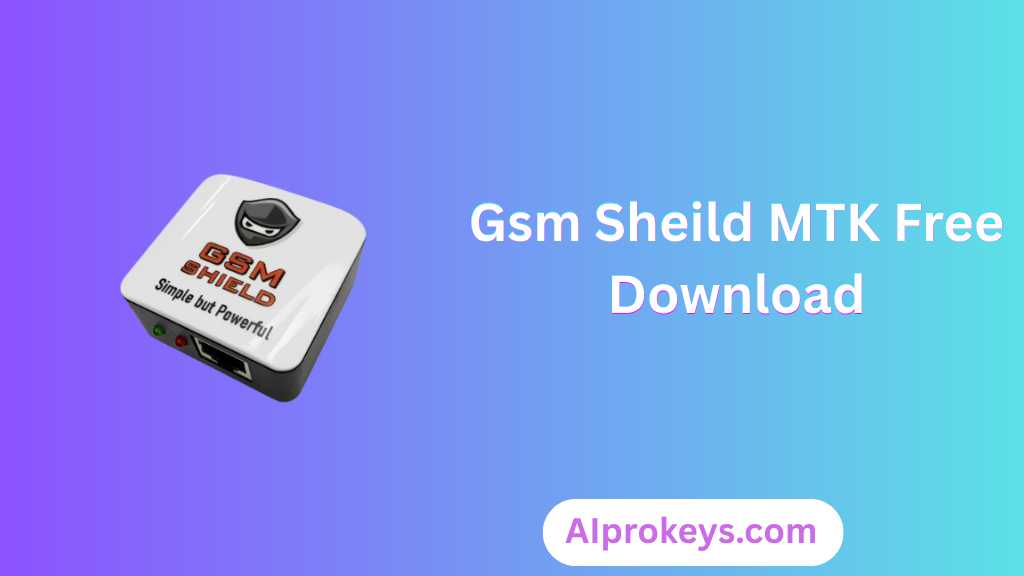
Gsm Sheild MTK v2.0 is a powerful tool designed for flashing, unlocking, and repairing MediaTek devices. It’s optimized for both Windows 10 and 11, providing an offline installer that can be a lifesaver for mobile repair technicians across India. Whether you’re operating from a service center in Delhi or a roadside shop in Bhopal, this tool covers your needs effectively.
Offering basic functions like reading and writing stock ROM for MediaTek smartphones, Gsm Sheild MTK also enables IMEI repair and FRP bypass without data loss. The latest version ensures compatibility with newer devices while being light enough to work on low-end hardware, making it perfect for tier-2 and tier-3 city usage. Check out the setup file here.
What Is Gsm Sheild MTK?
Gsm Sheild MTK is a specialized GSM tool that primarily focuses on flashing and unlocking MediaTek-based smartphones. This tool is ideal for technicians and hobbyists who are comfortable with mobile repairs but isn’t meant for the average user or those with limited technical expertise. Developed by the Gsm Sheild Team, it supports a range of MediaTek devices and chipsets, enhancing its utility.
Featuring essential functions such as reading and writing stock ROMs, repairing IMEI numbers, and bypassing FRP locks, it stands out for its offline capability. Keep in mind, however, that it suits only those with a tech-savvy background. If you’re just looking to tinker with your phone, this tool may be too advanced.
Gsm Sheild MTK Key Features
- Scatter File Support: Write firmware using scatter files for quick flashing operations.
- FRP Bypass: Easily unlock Factory Reset Protection on MediaTek devices.
- IMEI Repair: Fix IMEI-related issues without losing data.
- Low Hardware Demands: Functional on PCs with minimal RAM and CPU specs, ideal for budget setups.
- Offline Functionality: Operates efficiently without an internet connection, catering to service stalls.
- Backup Options: Provides options to back up user data before flashing.
- Pro tip: Always test on a secondary device before applying changes to prevent data loss.
- User-Friendly Interface: Navigable for experienced technicians, with menus categorizing functions logically.
- Device Compatibility: Supports a wide array of MediaTek devices, including newer models.
- Real-Time Updating: Regular updates to ensure compatibility with the latest chipsets.
- Pro tip: For uninterrupted experience, ensure USB drivers are installed correctly before connecting devices.
- Documentation Availability: Comprehensive guides to assist in troubleshooting and setup.
- Multi-Functionality: Handles multiple tasks like flashing, unlocking, and repairs all in one tool.
- Pro tip: Keep an eye on local firmware updates for best results.
- Lightweight Design: Minimal resources used while running; great for older PCs.
- Critical Functions: Bypass lost passwords or screen lock without data loss.
Gsm Sheild MTK System Requirements
| OS | CPU | RAM | Storage | GPU | DirectX | Internet | USB | Additional |
|---|---|---|---|---|---|---|---|---|
| Windows 10/11 | Intel i3 or equivalent | 2 GB (4 GB recommended) | 600 MB free space | DirectX compatible | Version 9.0 | Not required | USB 2.0+ support | Drivers and .NET Framework |
How To Install Gsm Sheild MTK On Windows 10/11
Installing Gsm Sheild MTK is straightforward. Follow these steps:
- Download: Click on the provided download links to get the setup file.
- Verify File Integrity: Check the downloaded file against any available checksums if provided.
- Extract: Use software like WinRAR or 7-Zip to extract the downloaded ZIP file.
- Install Drivers: Install any necessary USB drivers needed for MediaTek devices.
- Launch Tool: Open the Gsm Sheild MTK application.
- Device Connection: Connect your device in Flash Mode for operations.
Note: Be mindful of Windows 11 SmartScreen settings that might block installations from unknown sources. Ensure to disable it for the installation period. Also, installing USB drivers is critical for tool functionality.
Common Installation Errors and Fixes
| Error | Fix |
|---|---|
| DLL Missing | Install required .DLL files or reinstall the tool. |
| SmartScreen Block | Temporarily disable SmartScreen in Windows security. |
| Antivirus Quarantine | Exclude the installation folder from antivirus scans. |
| Driver Not Recognized | Reinstall USB drivers, ensure versions are compatible. |
| Device Not Detected | Change USB ports or try different cables. |
| Won’t Launch on Windows 11 | Check compatibility settings or run as administrator. |
| COM Port Error | Reassign available COM ports in Device Manager. |
| Authentication/Server Error | Ensure that Internet connections are stable; verify tools. |
Gsm Sheild MTK Performance Review
On a modest setup – an Intel Core i3-10100 with 8GB RAM running Windows 11 – I tested the Gsm Sheild MTK. Using a MediaTek smartphone, the flashing process took approximately 10 minutes. It held up well, without any significant hiccups during operations.
The interface remained responsive throughout, and I experienced no crashes while attempting to unlock a Redmi Note 12. The stability was a relief, and the overall performance matched the typical expectations for tools in this category. So yeah. It works.
Gsm Sheild MTK Pros and Cons
- Affordable for technicians.
- Multi-functional capabilities.
- Best used in Indian market context.
- Offline functioning reduces dependency on the internet.
- Compatible with low-end hardware.
- Regular updates enhance performance.
- Quick and easy to set up.
- May overwhelm beginners.
- Requires technical knowledge for troubleshooting.
- Installation sometimes blocked by antivirus software.
- Limited to MediaTek devices only.
- Can be slow with high RAM tasks.
- Power cuts can disrupt the process in low-resource areas.
Tools Similar To Gsm Sheild MTK
If you’re considering alternatives, there are a few noteworthy tools. SP Flash Tool is frequently preferred for flashing MediaTek devices and is particularly useful when dealing with more complex firmware issues. UMT Qcfire offers comprehensive options for various devices but might not be as user-friendly as Gsm Sheild MTK.
On the other hand, tools like Mi Flash work well with Xiaomi devices specifically, making them a go-to in shops that focus solely on those brands. You might want to explore SP Flash Tool for broader capabilities, or check out UMT Qcfire for professional-grade repairs alongside Gsm Sheild MTK.
Related Flashing Guides and Tools You Should Know
If your shop handles Samsung devices daily, mastering various flashing methods can save you time. Guides like Odin and QPST are essential for specific brands. For Qualcomm-based phones, which make up a large chunk of budget Android repair in India, familiarize yourself with QFIL tool operations.
Additionally, having complementary tools at your disposal like SP Flash Tool or Mi Flash can also enhance your repair arsenal. Don’t forget, picking the right tool can significantly streamline your workflow; check out the options above.
📘 How To Flash Using QPST Tool
📘 How To Flash Using QFIL Tool
🔧 QFIL Tool – Free Download
🔧 SP Flash Tool – Free Download
🔧 Realme Flash Tool – Free Download
🔧 SP Flash Tool Modified Version
🔧 Asus Zenfone Flash Tool
🔧 Xiaomi Mi Flash Tool – Free Download
🔧 QPST Tool – Free Download
🔧 Samsung Odin3 – Free Download
🔧 LG Flash Tool – Free Download
Gsm Sheild MTK – Frequently Asked Questions
Final Verdict – Is Gsm Sheild MTK Worth It in 2026?
In 2026, Gsm Sheild MTK remains a valuable tool in the mobile repair landscape in India. Its functionality to flash, unlock, and repair makes it a must-have for technicians. A huge plus is its offline capacity, crucial for many Indian service centers experiencing power cuts. I recommend it for industry professionals, while beginners may want to practice with more basic applications first.